Key takeaways
- A queue management system in 2026 is a multi-channel routing engine, not a ticket dispenser, and is judged on routing depth, telemetry and exit terms.
- Sovereign on-prem deployment is mandatory for any operator under PDPL, NIS2, HIPAA or NCA-ECC regimes — cloud-only is an audit liability.
- A well-architected QMS cuts wait time 30-60%, lifts staff utilisation 15-25% and pays back inside 18 months across most regulated multi-branch estates.
- Mid-market QMS programmes land £100k-£250k all-in for build, integrate and pilot; enterprise national rollouts £400k-£1.2M.
- Insist on a 90-day exit window, published schema, operator-owned data and a fixed-fee engagement — otherwise you are buying a permanent annuity.
- Multi-channel intake (kiosk + WhatsApp + SMS + app + appointment + staff-issued) must converge on a single ticket ID under one skill-based routing layer.
- Multilingual baseline is non-negotiable: English + Arabic full RTL ship as production; French, Spanish, German, Portuguese, Italian, Dutch, Turkish, Urdu, Hindi added per engagement.
A queue management system in 2026 is the operational backbone of any physical service estate — branches, clinics, government offices, telecom shops, airports — that turns walk-ins, appointments and virtual tickets into a measurable, routed, SLA-bound flow. The right one cuts wait time by 30-60%, lifts staff utilisation by 15-25% and gives operations a daily heatmap of where service breaks. The wrong one is shelfware in 18 months. This guide is the operator's checklist: what to look for, what to ignore, what it costs and how to deploy without becoming hostage to a single vendor.
Who this guide is for
- Banking COO / Branch Network Director. You run 50-500 branches and need to defend a multi-million wait-time-reduction business case to finance. This guide gives you the ROI formulas, the pricing bands and the procurement traps to avoid before signing.
- Hospital Operations / IT Director. You are integrating queue flow with appointments, signage and clinical workflow under HIPAA and local data-residency rules. The on-prem vs cloud comparison and the healthcare integration notes are written for you.
- Government Programme Manager. You are scoping a national queue rollout under PDPL, NCA-ECC or sector-specific sovereignty rules. Read the sovereign deployment, audit-trail and exit-window sections closely.
- Telecom / Retail Estate Lead. You manage 100-2,000 service points and need a QMS that consolidates reporting at brand level without a 9-month per-region rollout. The implementation playbook and migration path sections are for you.
What is a queue management system in 2026?
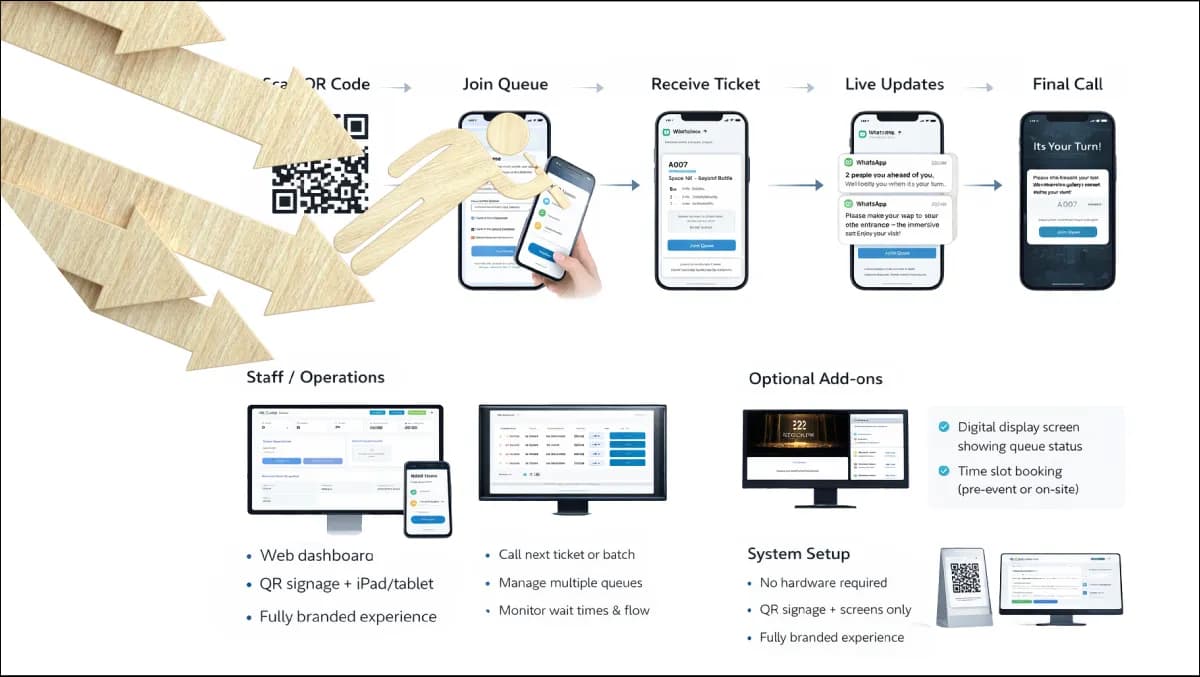
A queue management system is not a ticket dispenser. It is a distributed routing engine that ingests demand from multiple channels — physical kiosks, mobile virtual queueing, pre-booked online appointments, staff-issued tickets — assigns each request to the right counter using skill-based routing rules, calls customers via displays and audio, and emits operational events that finance and operations can act on.
Under the hood, a production QMS does six things at once: (1) demand capture across channels with a single ticket ID, (2) prioritisation (VIP, disability, appointment-on-time, premium account), (3) routing to staff based on skills, language and current load, (4) display + audio call-forward to LED signage and counter screens, (5) telemetry — service time, wait time, abandonment rate, staff idle %, no-shows — at second-level granularity, and (6) a reporting layer tying all of that back to SLA targets and headcount planning.
What separates a real QMS from a glorified ticket printer is whether the routing engine, the telemetry and the multi-branch consolidation are first-class — not bolted on. Vendors that ship the printer and call the analytics "phase 2" are selling a hardware refresh, not a service platform. A real platform integrates upstream with your customer feedback loop, your wayfinding, your signage network and your visitor management flows.
The 14-criterion scoring rubric — score every vendor
Score every vendor against these 14 criteria. Anything below 11/14 is shelfware risk. Each item: criterion, why it matters, and a one-line operational test.
- 1Multi-channel intake. Why: a single ticket ID across kiosk, web, WhatsApp, SMS, mobile app, staff-issued ticket and appointment import eliminates ghost queues. Test: issue one ticket via WhatsApp, one at the lobby kiosk and one via appointment — verify they share the same queue.
- 2Skill-based routing. Why: counters declare services and languages; the engine routes accordingly — static counter-to-service mapping costs 20% utilisation. Test: change a counter's skill mid-day and verify the next ticket routes within seconds.
- 3Deployment flexibility. Why: true on-prem, hybrid and cloud — not cloud-only with a "private cloud" SKU — keeps you compliant under data residency rules. Test: demo the same release fully on operator-owned hardware with the internet cable pulled.
- 4Multi-tenant, multi-branch consolidation. Why: one tenant per brand, one branch per location, unified reporting — critical for banks with 200+ branches or cross-ministry deployments. Test: configure two test tenants and verify reports roll up without manual export.
- 5Open integration surface. Why: REST + webhooks + a typed event stream means CRM (Salesforce, Dynamics), core banking (Temenos, Finacle, Mambu), HIS, ERP and identity (SAML/OIDC) all have a clean path. Test: request the OpenAPI spec before contract signature.
- 6Bilingual UI by default. Why: English + Arabic with full RTL is the production baseline — verify that PDF receipts, audio call-forward and right-to-left numerals all render correctly. Test: request an Arabic PDF receipt and Arabic audio file from a live system.
- 7Display + signage subsystem. Why: LED, LCD, dual-screen counters and mobile-first virtual displays must integrate with your digital signage CMS. Test: play a call-forward event on a third-party Samsung Tizen display in the demo.
- 8Operational telemetry. Why: service time, wait time, abandonment, staff idle %, no-show %, SLA breach count — exported at second-level granularity to your warehouse. Test: request a sample event-stream export with second-level timestamps.
- 9Audit + compliance trail. Why: every ticket, status change and staff action logged with actor + timestamp lets you defend GDPR, PDPL and HIPAA handling. Test: run a DSAR for a fictitious visitor and time the response.
- 10Disability + accessibility. Why: WCAG 2.2 AA on kiosks, audio call-forward, large-font display, wheelchair counter routing and sign-language video pickup are mandatory in most jurisdictions. Test: operate the kiosk eyes-closed, then in a wheelchair-height seated position.
- 11High-availability posture. Why: active-active or active-standby with sub-60-second failover keeps the branch open — QMS down means branch down. Test: pull the power on the primary node during a busy demo.
- 12Operator-owned data. Why: schema published, database accessible, export not a paid feature — without this you are a hostage. Test: request the database schema document in the RFP response.
- 13Fixed-fee delivery. Why: a fixed-fee engagement with a milestone plan removes scope-creep risk; time-and-materials contracts always overrun. Test: ask for fixed prices per phase signed off in Discovery.
- 14Exit window. Why: a 90-day exit window for source, licence and deployment-key handover is the difference between a procurement and a permanent annuity. Test: read the termination clause in the master agreement before signature.
How do you choose between cloud, on-premises and hybrid?
| Criterion | Cloud (SaaS) | On-Premises | Hybrid |
|---|---|---|---|
| Data residency | Vendor-controlled, region-dependent | Operator-controlled, fully sovereign | Sensitive data on-prem, analytics in cloud |
| Latency to displays | 50-200ms (round-trip) | <10ms (LAN) | LAN for calls, WAN for reporting |
| Branch resilience | Fails when WAN fails | Fails only when branch fails | LAN-local fallback, WAN-degraded reporting |
| Total 5-yr cost (mid-market) | £140k-£260k | £110k-£220k | £130k-£250k |
| Compliance fit | GDPR-friendly with EU regions; HIPAA/PDPL/NIS2 needs work | Fits everything including air-gapped deployment | Fits most regulated estates |
| Best for | Small chains, retail pop-ups, single-country brands | Banks, ministries, hospitals, telecom flagships | Multi-region brands with mixed regulation |
The honest answer for most regulated multi-branch operators in banking, healthcare, government and telecom is on-prem or hybrid. Cloud-only is fine for a 20-branch retail estate; it is not fine for a 200-branch bank under a national data-residency regime. For an airports operator running a multi-terminal estate, hybrid is almost always the right answer — sovereign data, cloud-managed reporting.
> Want a fixed-fee Discovery price before the end of the call? Talk to Zeour engineering — 30-minute scoping conversation, no slideware, and a published pricing band by the time we hang up. We work alongside your IT and procurement teams from the first call, not from contract signature.
How much does a queue management system cost in 2026?
Most vendors hide pricing behind a "contact us" wall. Zeour publishes bands so operators can budget honestly. See the full pricing model for breakdowns.
- Discovery (fixed-fee): £8k-£18k for mid-market scoping; £15k-£40k for enterprise estates with multi-system integration. Deliverable: solution design, integration map, milestone plan with fixed prices per phase.
- Build small (8-10 weeks): £40k-£90k. Mid-market multi-branch deployment with standard integrations.
- Build enterprise (10-16 weeks): £200k-£600k. National rollout, full multi-tenant + multi-branch, custom routing, deep CRM/core-banking integration.
- Integrate (3-5 weeks): £15k-£60k. Per-system integration — CRM, identity, ITSM, core banking.
- Pilot + Go-Live (4 weeks): £15k-£40k. Onboarding 1-3 pilot branches with staff training, SOP development and the SLA cutover.
- Care Plan: Self-Sufficient (free, operator-managed) up to Enterprise annual contracts with 24/7 incident response, quarterly upgrades and SLA-backed reporting.
If a vendor refuses to publish bands, the procurement risk is on you.
ROI calculator — build a defensible business case in 7 steps
Procurement boards reject QMS business cases when the ROI is hand-waved. Use this 7-step calculator to build one that survives finance scrutiny. Every benchmark below is an industry-standard range, not an invented customer number.
Step 1 — measure the baseline waiting cost
- Avg wait min × visits per branch per day × branches in scope = baseline waiting min per day
- × 250 trading days ÷ 60 = annual baseline waiting hours
Step 2 — apply a defensible wait-time reduction
- Industry-benchmark wait-time reduction for QMS deployments: 30-45% (mid-market), 40-55% (enterprise with full routing + virtual queue)
- Recovered customer-hours = baseline × reduction %
Step 3 — calculate staff utilisation uplift
- Current staff idle % (measure or assume 22-32%) × FTE count × loaded annual cost = current idle cost
- Industry uplift from skill-based routing + telemetry: 15-25%
- Net staff productivity gain = uplift × loaded cost × FTE
Step 4 — calculate abandonment recovery
- Current abandonment (typical unqueued 8-18%; queued + virtual 2-4%)
- Recovered transactions per day = baseline visits × (current abandon % − projected %)
- × avg transaction margin × 250 = annual recovered margin
Step 5 — add compliance + audit cost reduction
- Per-ticket immutable audit trail removes 0.5-1.5 FTE of compliance reporting per estate per year
- Multiply by loaded compliance-FTE cost (~£60k-£90k loaded)
Step 6 — subtract the all-in 5-year cost
- Build + Integrate + Pilot + 5 × annual Care Plan = 5-year TCO
Step 7 — calculate payback period and net benefit
- Annual gross benefit (Steps 2-5 summed) ÷ blended annual cost = ROI multiple
- 5-year net benefit = (5 × annual gross benefit) − 5-year TCO
For a 200-branch retail bank at typical benchmarks, 5-year net benefit lands £15M-£40M against a £400k-£800k programme. The discipline is showing finance the formulas, not the headline.
Seven failure modes from real deployments
Seven patterns we see kill QMS programmes — usually in month 9, not month 1.
Failure mode 1: scoping only the lobby. The QMS that ignores appointments, virtual queueing, signage and feedback becomes the fifth system the operator has to integrate. The fix is to insist on integration scope inside Discovery, not as a year-two RFP.
Failure mode 2: choosing on RFP feature-tick. Every vendor scores 95% on a feature checklist. Real differentiation is deployment posture, integration depth, exit terms and reference deployments. The fix is to replace the feature list with a 3-week proof-of-value against a real branch.
Failure mode 3: signing without an exit window. A QMS without a defined exit window is a permanent annuity. The vendor knows you cannot leave; they price accordingly at renewal. The fix is to insist on source, licence and deployment-key handover terms in the master agreement, not in a side letter.
Failure mode 4: cloud-only when regulation demands sovereignty. A bank under national data-residency rules cannot lift-and-shift to a vendor cloud without a regulatory exception. The fix is to architect for sovereign deployment from day one, even if phase one is hybrid.
Failure mode 5: under-investing in staff training. Branches that get the platform but not the SOPs revert to old behaviour inside three months. The fix is to budget 10-15% of the build cost for change management and pilot-branch SOP development.
Failure mode 6: ignoring the customer-feedback loop. A queue that ends with no CSAT or NPS capture cannot improve. The fix is to wire customer feedback into the QMS event stream from day one, not as a year-two add-on.
Failure mode 7: hardware lock-in by accident. A vendor that ships proprietary thermal printers and signage hardware locks you out of commodity replacement; spare-parts cost doubles at year three. The fix is to demand commodity hardware support (Epson, Star Micronics, Honeywell, Zebra, Datalogic, BrightSign, Samsung Tizen, LG webOS) in the RFP.
Migration path — moving from your current stack
Most operators are not starting from zero. The Zeour migration pattern is four-phase and runs in parallel with the existing system to remove cutover risk.
Phase A (weeks 1-3): shadow mode. The new QMS runs alongside the incumbent in a single pilot branch. Tickets are issued by both systems; only the incumbent calls customers. Telemetry from both is collected. This is data-only, zero customer impact.
Phase B (weeks 4-7): cutover by service. The new system takes over single-service ticketing (e.g. account-opening) while the incumbent continues complex services. Staff learn the new console. Parallel telemetry continues. Roll back is a single config flip.
Phase C (weeks 8-12): full pilot cutover. The pilot branch runs end-to-end on the new platform. The incumbent stays live as a fallback for 14 days. Daily standup with the operator ops lead. Sign-off on SLA targets before estate rollout.
Phase D (weeks 13+): estate rollout. 4-8 branches per week join the new platform. The incumbent contract is wound down on a planned timeline (typically 6-9 months from first pilot). Source, licence and deploy keys hand over inside the 90-day exit window of the incumbent contract.
This works whether the incumbent is a generic cloud SaaS, a legacy on-prem platform, an in-house build or a spreadsheet-and-clipboard manual queue.
Implementation playbook
A production QMS rollout follows the Zeour 5-phase model. Each phase is fixed-fee, milestone-bound, with explicit operator deliverables.
- 1Discovery (2-4 weeks). Stakeholder workshops, branch site surveys, integration map, routing-rules whiteboard, hardware bill-of-materials, milestone plan with fixed prices per subsequent phase. Output: a signed scope document, not a slide deck.
- 2Build (8-16 weeks). Backend + admin + kiosk + display + mobile in parallel sprints with weekly demos. Operator product owner is in every demo. Change-orders are explicit and priced — no scope creep.
- 3Integrate (3-5 weeks). Core systems wired up: CRM, identity (SAML/OIDC), core banking or HIS, digital signage, appointment system, ITSM. Each integration has a signed test pack.
- 4Pilot + Go-Live (4 weeks). 1-3 pilot branches run live for 2 weeks under shadow mode, 2 weeks under full cutover. SOP, staff training, SLA monitoring, daily standup with operator ops lead.
- 5Operate. Care Plan tier kicks in. Quarterly upgrade cadence. Operator owns the repo, licence and deploy keys after the 90-day exit window.
Frequently asked questions
How long does a queue management system take to deploy?
Mid-market estate: 12-16 weeks from Discovery signature to first branch live, then 4-8 weeks to roll the remaining estate at 4-8 branches per week. Enterprise: 20-32 weeks for the first wave with national rollouts running 6-12 months. Anyone promising 4-week deployments is selling demo-ware, not a configured production estate.
Do we need to replace our existing ticket printers and displays?
Usually no. A well-architected QMS drives commodity thermal printers, LED displays and Android TVs that you already own — vendor lock at the hardware layer is a red flag. Zeour's deployments routinely integrate Epson, Star Micronics, Samsung, LG, BenQ, IAdea and generic Android stick PCs alongside our reference kiosk hardware.
What integrations are typically required?
For a bank: core banking (Temenos / Finacle / Mambu), CRM (Salesforce / Dynamics), identity (SAML/OIDC), digital signage, ITSM. For a hospital: HIS, EMR, appointment system, identity, wayfinding. For government: national identity, citizen portal, case management, audit log. Each integration is a 3-5 week effort with a signed test pack.
Can the QMS run fully on-premises with no cloud dependency?
Yes — and for sovereignty-sensitive operators in banking, government, oil and gas and healthcare, this is the default. The system runs on operator hardware, uses operator identity, stores data on operator storage and updates via operator-controlled change-management. Air-gapped deployment is supported for the most sensitive estates.
What happens to our data and code if we leave the vendor?
With Zeour, you own the source, the licence keys and the deployment artefacts after the 90-day exit window. Schema is published. Data export is a free operator action, not a paid feature. With most cloud-only vendors, data export is constrained, schema is closed and source code is never available — that is what "lock-in" actually means in procurement terms.
Does the QMS reduce branch headcount?
Rarely as a direct replacement — but it does reallocate. Staff who were dispatching tickets are redeployed to advisory and complex-case work. The branches that ride the maturity curve farthest frame QMS as branch transformation, not headcount reduction. Cuts without role reallocation usually trigger regression to pre-QMS behaviour.
How does this work for a multi-tenant franchise estate?
A multi-tenant QMS isolates configuration, branding, audit and reporting per tenant brand while sharing infrastructure. A franchise operator hosts 20-100 brands on shared platform; each brand admins its own queues; corporate sees consolidated rollup. This is the model running in production across multi-brand retail and telecom estates.
How do you size a deployment for branches of different sizes?
Tier branches by transaction volume: Tier-1 (>500 visits/day) gets full ticketing kiosk + multi-screen display + dual counter screens; Tier-2 (200-500) gets single kiosk + main display + counter screens; Tier-3 (<200) often runs virtual-first with a tablet-based staff-issued ticket flow and a single TV.
What is the typical cost-vs-value crossover point?
For a mid-market bank, crossover lands between branches 15 and 25 — below that, a spreadsheet and a manual ticket pad is operationally cheaper. Above that, routing telemetry, multi-channel intake and consolidated reporting earn back the Build cost inside year two. For healthcare and government, crossover sits lower because compliance value alone justifies the audit trail at any scale.
How is security architected against insider threat?
Role-based access (admin / supervisor / agent / read-only), every console action logged, no shared accounts, MFA via the operator's IdP, database access locked to the application service account, audit log shipped to the operator's SIEM under ISO 27001 controls. The QMS is treated as a Tier-1 operational system, not as marketing software.
Where Zeour fits
Queue management is the most-watched operational system in any service estate — every minute of wait time is a customer-satisfaction event and a staff cost. Zeour ships queue management as a production-grade, multi-tenant, sovereign-deployable platform — already running across 1,247+ branches in 40+ countries through deployments like IIB Bank, Kuwait National Bank London, Servizz.gov Malta and OQBI Oman. It plugs directly into virtual queueing, appointments, kiosks, signage and feedback — one estate, one ticket ID, one reporting layer. Fixed-fee phased delivery, English + Arabic baseline with any other locale per engagement, and a 90-day exit window. Book a demo or request a quote — pricing bands are published up front. Browse the wider case studies, the glossary or the blog for context.
---
Last updated: May 17, 2026 — by the Zeour engineering team.