Key takeaways
- A production self-service kiosk is a hardened single-app endpoint with peripheral abstraction and kiosk mode lockdown — not a tablet on a stand.
- Greenfield default in 2026 is Android (12-14); Windows IoT remains valid only for legacy peripheral dependencies.
- All-in TCO for a 50-kiosk mid-market Android estate over 5 years lands £850k-£1.8M, against £4M+ of operational uplift when 40% of counter volume deflects.
- Hardware is £4k-£18k per kiosk; software Build £150k-£600k; ops £1.5k-£6k per kiosk per year — under-budgeting any one of the three kills the programme.
- P2PE-certified EMV readers (Ingenico, PAX, Verifone) keep the kiosk out of full PCI-DSS scope and save 6-figure annual audit fees.
- Offline-first session model is non-negotiable — the kiosk must complete transactions when the WAN is down and sync when it returns.
- 90-day exit window, commodity peripheral support and operator-owned MDM are the three procurement gates that separate a 5-year asset from 50 expensive doorstops.
A self-service kiosk that lives in a real estate — bank lobby, hospital lobby, government office, airport terminal, retail floor — costs £4,000 to £18,000 in hardware, £15,000 to £80,000 in software setup, and £1,500 to £6,000 per unit per year to run. Get the architecture right and a 50-kiosk estate amortises in 18 months by deflecting 30-60% of counter transactions. Get it wrong and you have 50 expensive doorstops in 24 months. This is the operator guide — what to specify, what to refuse, and what the 5-year TCO actually looks like.
Who this guide is for
- Bank Branch Transformation Lead. You are deploying kiosks across 100-500 lobbies to deflect routine teller volume and need a defensible TCO and PCI strategy. The hardware, peripheral and PCI scoping sections will close your business case.
- Hospital Operations Director. You need check-in kiosks for outpatient flow, integrated with EMR and queue management, under HIPAA and local data-residency rules. Read the offline-first and sovereign deployment sections.
- Government / Citizen Services Lead. You are scoping kiosks in service centres for PDPL jurisdictions where citizen data must not leave national infrastructure. The sovereign deployment + accessibility sections are written for you.
- Airport / Transport Operator. You need check-in / boarding-pass / wayfinding kiosks across terminals with intermittent connectivity and 24x7 throughput. Read peripheral lifecycle and the MDM section closely.
What is a self-service kiosk in 2026?
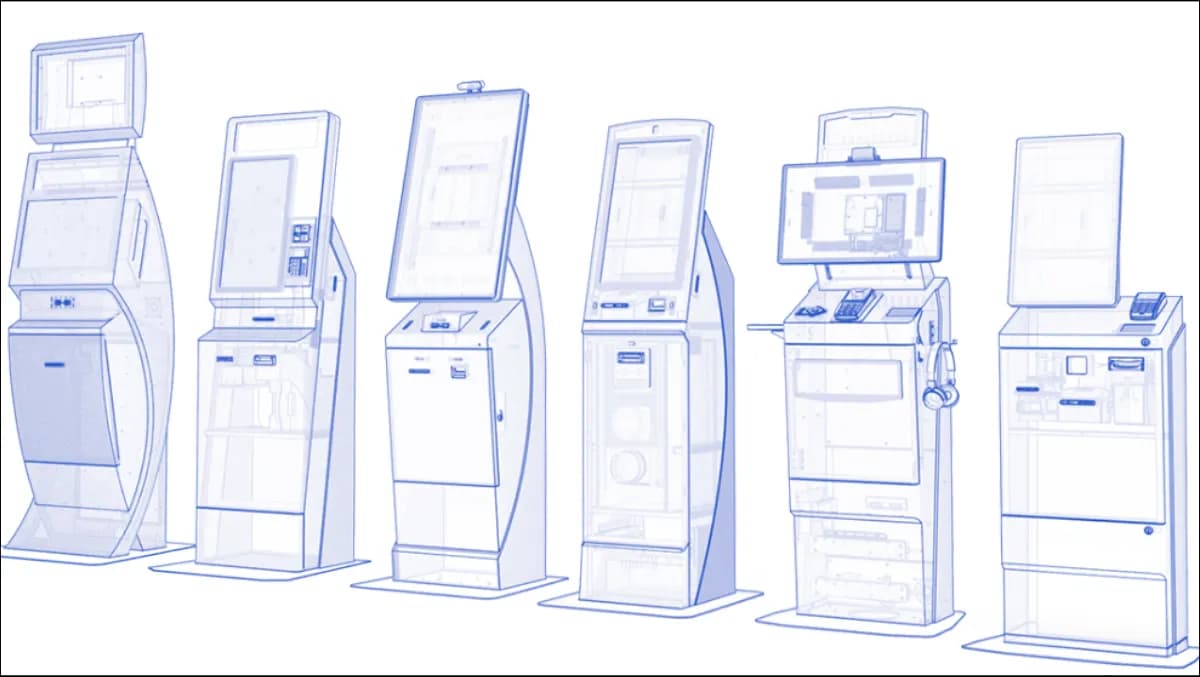
A self-service kiosk is a hardened, single-purpose endpoint that lets a customer or citizen complete a transaction — issuing a queue ticket, checking in for an appointment, paying a bill, printing a document, scanning ID, dispensing cash, registering a visitor — without staff intervention. The 2026 production stack is almost universally Android (12-14) on a 22-32 inch capacitive touchscreen with peripherals: thermal printer, barcode/QR scanner, ID/passport scanner (MRZ), contactless card reader (EMV), biometric (fingerprint/face), audio, and increasingly a built-in 4G/5G modem for resilient connectivity.
The software layer is what separates a demo from a deployment. A real kiosk platform ships kiosk mode hardening (single-app lockdown, MDM, remote attestation), an integration layer to the back-office (CRM, core banking, HIS, identity), an offline-first session model (the kiosk works when the WAN is down), and a fleet-management console that lets one operator manage 500 kiosks. Without that, you have a tablet on a stand.
The distinction that matters most: a kiosk is not a tablet. A tablet is a general-purpose device that boots into a launcher; a kiosk boots into a single application, refuses to leave it, survives power cycles, reboots itself, ships logs to a central console, and updates over the air under operator control. A kiosk integrates cleanly with queue management, visitor management, signage and wayfinding — not as an afterthought, but as first-class endpoints in the wider service estate.
The 13-criterion scoring rubric — score every vendor
Thirteen items spanning hardware, software and operations. Each: criterion, why, and a one-line operational test.
- 1Android over Windows for new deployments. Why: lower licence cost (no Windows IoT per-device fee), better single-app lockdown, simpler MDM, better thermal envelope. Test: compare 5-year per-kiosk cost in writing.
- 2Real kiosk-mode lockdown. Why: true single-app lockdown via Android Enterprise (COSU) or equivalent, with remote attestation. Test: try to escape via corner-tap, status-bar swipe and power-button hold in the demo.
- 3MDM integration. Why: SOTI, VMware Workspace ONE, Scalefusion or a vendor-native MDM that integrates with existing endpoint management is mandatory at fleet scale. Test: request a remote reboot of a kiosk in another room.
- 4Peripheral abstraction. Why: thermal printer, EMV reader, MRZ scanner and biometric reader driven through an abstraction layer means you swap hardware without rewriting the app. Test: swap the Epson printer for Star Micronics and verify the app continues to print.
- 5Offline-first session. Why: the transaction completes locally and syncs when WAN returns — the kiosk does not freeze when the network blips. Test: pull the Ethernet cable mid-transaction.
- 6Multilingual UI. Why: English + Arabic with full RTL baseline; French, Spanish, German, Portuguese, Italian, Dutch, Turkish, Urdu, Hindi added per engagement. Test: request an Arabic receipt PDF, not just the screen.
- 7WCAG 2.2 AA accessibility. Why: audio-readback, wheelchair-height variants, high-contrast mode and keyboard alternative are mandatory in most jurisdictions. Test: operate the kiosk eyes-closed and seated.
- 8Remote diagnostics + logs. Why: per-kiosk CPU, memory, peripheral status and error logs streamed to a central console — field engineers never touch a kiosk to diagnose. Test: request a screenshot of the live console showing 10 kiosks.
- 9OTA updates under operator control. Why: staged rollouts (1% → 10% → 100%), rollback and change windows — vendor pushing updates is unacceptable. Test: request a release-notes sample with the operator-approval gate documented.
- 10Tamper + open-case detection. Why: cabinet intrusion sensor wired to the MDM alert stream prevents physical-attack downtime. Test: open the demo cabinet and verify an alert fires.
- 11PCI-DSS scope minimisation. Why: P2PE-certified EMV reader keeps the kiosk out of PCI-DSS scope. Test: request the P2PE certificate for the reader model.
- 12Integration surface. Why: REST + webhooks to CRM, identity, queue management and payment gateway. Test: request the OpenAPI spec before contract signature.
- 13Sovereign deployment option. Why: backend runs on operator infrastructure for sovereignty-sensitive operators. Test: demo the system fully on operator hardware with the internet cable pulled. See sovereign deployment.
How do Android, Windows and embedded compare for kiosks?
| Dimension | Android (12-14) | Windows IoT | Purpose-built embedded (Linux) |
|---|---|---|---|
| Hardware cost | £600-£2,500 per unit | £900-£3,500 | £1,500-£6,000 |
| OS licence cost | £0 | £100-£300/unit | £0 |
| Single-app lockdown | Native (Android Enterprise COSU) | Shell Launcher; brittle | Native |
| Peripheral driver maturity | Good and improving | Best (legacy estate) | Vendor-controlled |
| Thermal envelope (always-on) | Excellent | Mediocre | Excellent |
| OTA + MDM | First-class | First-class (mature) | Vendor-tied |
| Best for | Greenfield, mid-volume, multi-region | Legacy bank/hospital estates with Windows-only peripherals | Niche regulated kiosks (border control, voting) |
For 80% of 2026 deployments — banking lobby, hospital check-in, government service points, retail click-and-collect, airport landside — Android wins on TCO, deployment speed and operational simplicity. Windows remains valid for estates with deep legacy peripheral dependencies; greenfield default should be Android.
> Want a fixed-fee Discovery price before the end of the call? Talk to Zeour engineering — 30-minute scoping conversation, no slideware, and a published pricing band by the time we hang up. Our hardware partners ship to UK / EU / Americas / GCC / MENA / Africa / Asia with no per-region carve-outs.
How much does a self-service kiosk cost in 2026?
Kiosk TCO is hardware + software + operational. Honest numbers below — see the full pricing model for breakdowns.
- Hardware (per kiosk, all-in): £4,000-£8,000 for a 22-inch Android floor unit with thermal printer + QR scanner + contactless reader; £8,000-£14,000 for a 32-inch unit with ID scanner + biometric; £12,000-£18,000 for outdoor or weatherised variants.
- Software Discovery (fixed-fee): £8k-£18k mid-market; £15k-£40k enterprise multi-format estate.
- Software Build (8-10 weeks): £40k-£90k for a mid-market kiosk app suite; £200k-£600k for enterprise with multiple kiosk variants, deep integration and multi-tenant fleet management.
- Integration (3-5 weeks): £15k-£60k per back-office system.
- Pilot + Go-Live (4 weeks): £15k-£40k. 5-10 pilot kiosks with staff training and SOP.
- Operational cost per kiosk per year: £1,500-£3,500 for in-warranty Care Plan + connectivity + consumables (thermal paper, ribbons); £2,500-£6,000 for out-of-warranty estates.
5-year TCO for a 50-kiosk estate (Android, mid-market): hardware £300k-£500k + software £150k-£300k + 5-yr ops £400k-£1.0M = £850k-£1.8M. Deflecting 40% of 200 daily counter transactions per branch at £1.50 per transaction yields £4M+ in operational uplift over 5 years. Math works.
ROI calculator — 6-step kiosk TCO model
Step 1 — measure the baseline counter volume
- Average counter transactions per branch per day × branches in scope = baseline daily transactions
- × 250 trading days = annual baseline counter transactions
Step 2 — apply a defensible deflection rate
- Industry-benchmark kiosk deflection: 30-60% (mid-market with one or two kiosk types), 45-75% (enterprise with full peripheral suite)
- Deflected transactions per year = baseline × deflection %
Step 3 — cost the deflected work at counter rates
- Average loaded counter cost per transaction (UK / EU mid-market typical: £1.20-£2.50; high-cost branches: £3-£5)
- × deflected transactions = annual operational saving from deflection
Step 4 — add the wait-time and customer-experience uplift
- Counter wait reduction from deflection: 25-45%
- Apply the same wait-recovery formula as the QMS ROI model — recovered customer-hours × value-per-hour benchmark
Step 5 — add the staff redeployment value
- Counter FTE freed for advisory / complex work × loaded cost × incremental advisory revenue per FTE = redeployment uplift
- Critical: do not double-count with deflection savings — pick the more conservative of the two
Step 6 — subtract the 5-year TCO
- Hardware + Software Build + Integrate + Pilot + 5 × annual Care Plan and consumables = 5-year TCO
- 5-year net benefit = (5 × annual gross benefit) − 5-year TCO
For a 50-kiosk bank estate at 40% deflection, the model lands payback inside 14-22 months and 5-year net benefit £3M-£8M.
Peripheral selection — the part most projects underestimate
The app gets the attention; the peripherals decide whether the project lives. Six categories, with the criteria that matter.
Thermal printer. 80mm width is the production standard. Auto-cutter mandatory. Look for a printhead rated for 100km of paper (typical 4-year life under bank-lobby load). Epson TM-T88-series and Star Micronics TSP-series are the production defaults. Budget £180-£320 per unit; £25-£50 per year in thermal paper.
Barcode / QR scanner. Honeywell, Zebra, Datalogic — all reliable. Image-based scanners outperform laser for damaged or phone-screen barcodes. Budget £120-£280.
ID / passport scanner (MRZ + chip). This is where cost concentrates. A full MRZ + chip + RFID reader runs £900-£2,400. Pure MRZ-only is £300-£600 but misses biometric chip data. For visitor management and regulated banking KYC, spec the chip-reader.
EMV contactless reader. Spec a P2PE-certified reader (Ingenico, PAX, Verifone) to keep the kiosk out of PCI-DSS scope. Budget £180-£420. Lifecycle is gated by PCI cert refresh (typically 5-7 years).
Biometric (fingerprint / face). Required for high-security visitor and banking deployments. Fingerprint readers £150-£400; face-match cameras £200-£600. Liveness-detection is non-negotiable for any production deployment — static photo bypass is trivial otherwise.
Audio + accessibility. Stereo speakers, 3.5mm jack for assistive hearing devices, tactile keypad for WCAG 2.2 AA compliance. Often overlooked — costs £40-£120 and is mandatory for government and many healthcare deployments.
Maintenance economics — the costs nobody puts in the RFP
A kiosk fleet has hidden operational costs that swamp the hardware bill at year 3-4 unless they are designed in. Plan for:
- Truck rolls. Field-engineer visits cost £180-£450 each. Reducing one truck roll per kiosk per year via remote diagnostics saves £9k-£22.5k on a 50-kiosk estate annually.
- Consumables. Thermal paper, ribbons, badge stock. Budget £15-£60 per kiosk per month depending on transaction volume.
- Screen wear. Capacitive touchscreens in airports / hospitals degrade after 3-4 years; budget a screen-only refresh in the year-4 plan.
- Peripheral failures. EMV readers fail at ~3-5% annually; printers at ~5-8%. Stock 2-week spare kits at each regional hub.
- OS + app upgrades. Quarterly cadence is the production sweet spot — too frequent and operations rebels, too slow and security debt accumulates.
The Care Plan should include all of the above as a fixed annual rate, not a metered call-out. Metered call-out contracts incentivise the vendor to leave problems unfixed.
Six failure modes from real kiosk deployments
Failure mode 1: weak kiosk-mode lockdown. A "kiosk launcher" rather than true Android Enterprise COSU means a corner-tap can escape to a system menu, expose customer data and let the next user browse the web on your branded device. The fix is COSU-grade lockdown from day one — verify by trying to escape during the demo.
Failure mode 2: cloud-only with no offline session. The first WAN blip during peak trading freezes a lobby of kiosks and a queue of frustrated customers. The fix is offline-first session design with local state and background sync, plus a 4G/5G modem for backup connectivity.
Failure mode 3: full PCI-DSS scope by accident. Capturing PAN through software keyboards or unbranded readers pulls the entire kiosk app into PCI-DSS scope with 6-figure annual audit costs. The fix is a P2PE-certified EMV reader from day one — Ingenico, PAX, Verifone — with the certificate filed in the security architecture document.
Failure mode 4: vendor-locked peripherals. Proprietary thermal printers and unbranded ID scanners triple your spare-parts cost at year three. The fix is commodity hardware support specified in the RFP — Epson, Star Micronics, Honeywell, Zebra, Datalogic, Ingenico, PAX, Verifone.
Failure mode 5: no MDM at fleet scale. A 50-kiosk estate without MDM is one truck-roll per device per quarter — £45k-£100k a year in field-engineer cost alone. The fix is SOTI, VMware Workspace ONE, Scalefusion or a vendor-native MDM integrated with the rest of the operator's endpoint management.
Failure mode 6: skipping accessibility. A kiosk that fails WCAG 2.2 AA audit (audio-readback, wheelchair-height variant, high-contrast mode, keyboard alternative) is non-compliant in most public-service estates and exposes the operator to legal action. The fix is accessibility audit in week 6 of Build, not at UAT.
Failure mode 7: cabinet without intrusion sensor. Without a tamper sensor, an opportunist replaces the EMV reader with a skimmer and the operator finds out via the chargeback report. The fix is a cabinet intrusion sensor wired to the MDM alert stream from day one.
Failure mode 8: no exit window. A kiosk programme without a 90-day exit window hands the vendor renewal leverage. Schema, app source and licence keys must be operator-owned at the end of the engagement — non-negotiable.
Migration path — moving from your current stack
Operators come to a kiosk programme from three patterns: no kiosks (greenfield), legacy Windows kiosks (mid-2010s), or a generic SaaS kiosk app (lightweight Android).
Phase A (weeks 1-3): site survey + parallel hardware deploy. New kiosks installed alongside any incumbent units in one pilot branch. Power, network, mounting and accessibility validated. No customer-facing cutover.
Phase B (weeks 4-7): single-journey cutover. One journey (e.g. ticket-issuance, or check-in) moves to the new platform. Legacy kiosks continue for everything else. Staff trained on swap-out and basic diagnostics.
Phase C (weeks 8-12): full pilot cutover. Pilot branch runs end-to-end on the new platform. Legacy units decommissioned and recycled. SLA monitoring + daily standup with operator ops lead.
Phase D (weeks 13+): estate rollout. 10-20 kiosks per week as hardware arrives. Legacy vendor contracts wound down on a planned timeline (typically 6-9 months from first pilot).
Implementation playbook
- 1Discovery (2-4 weeks). Site survey per branch type (footprint, power, network, mounting), peripheral selection, transaction journey mapping, MDM integration plan, hardware bill-of-materials. Output: fixed-price scope and a hardware shipping schedule.
- 2Build (8-10 weeks). Kiosk app developed in parallel with back-office integration. Weekly demos against pilot hardware (do not develop against an emulator). Accessibility audit in week 6.
- 3Integrate (3-5 weeks). CRM, identity, queue engine, signage, payment gateway. Each integration ships with a signed test pack.
- 4Pilot + Go-Live (4 weeks). 5-10 kiosks deployed across 2-3 branch formats. Staff trained on swap-out and basic diagnostics. SLA cutover on day 14 of pilot.
- 5Operate. Rolling fleet expansion at 10-20 kiosks per week. Quarterly OS + app upgrades under staged rollout. Annual hardware refresh assessment at year 4.
Frequently asked questions
How long do kiosks actually last in production?
With a Care Plan, well-specified hardware lasts 5-7 years in branch / retail environments and 4-6 years in high-throughput airport / hospital environments. Touchscreens are usually the first to degrade — budget for screen-only refresh at year 4-5. Peripherals (thermal printer, EMV reader) follow their own cycles: printers 3-4 years, EMV readers 5-7 years (driven by PCI cert lifecycle).
Can kiosks be deployed without a permanent internet connection?
Yes. The production architecture is offline-first: the kiosk completes transactions against local state, then syncs to the back-office when WAN returns. A 4G/5G modem provides backup connectivity. Estates in airports, oil and gas remote sites and rural government offices routinely run with intermittent connectivity.
Do kiosks reduce headcount or just shift it?
Neither, in a well-designed deployment. Counter staff are redeployed from transaction-processing (which the kiosk absorbs) to higher-value advisory work (which retains the customer relationship). Branch transformation programmes that frame kiosks as headcount-replacement usually fail; ones that frame them as staff doing different work succeed.
What about PCI-DSS scope when the kiosk takes card payments?
Use a P2PE-certified EMV reader and the kiosk itself stays out of PCI scope (card data is encrypted at the reader, decrypted at the acquirer). The kiosk app never sees PAN. This is the only sensible architecture; software-only card capture pulls the kiosk into full PCI-DSS scope which costs you 6-figure annual audit fees.
Can a kiosk replace a teller window for full banking transactions?
For 60-80% of teller transactions (deposit, withdrawal, statement print, card issuance, appointment booking, KYC update), yes — given the right peripherals and integration. The remaining 20-40% (complex advice, fraud cases, dispute resolution, signature work) stay with staff. Kiosks displace volume so staff focus on complexity. This is the model running across banking deployments.
What accessibility standards must the kiosk meet?
WCAG 2.2 AA is the production baseline: audio-readback, high-contrast mode, wheelchair-height variant, keyboard alternative to touchscreen, tactile keypad for visually impaired users. In government, national-specific standards may layer on top. Accessibility audit belongs in Week 6 of Build, not UAT.
How are peripheral lifecycle costs typically distributed?
Over 5 years, expect to refresh thermal printers once (year 3-4), EMV readers once (year 5-7 driven by PCI cert), touchscreens once (year 4-5 in heavy-use environments), and IP cameras / biometric readers once (year 5). Plan the refresh schedule into the Care Plan to avoid spike-year capex surprises.
Can the same kiosk platform serve multiple verticals?
Yes — the same kiosk app framework runs in banking, healthcare, government, retail, airports and education with vertical-specific journey configuration and peripheral selection. The platform layer is shared; the journeys are vertical-tailored. Multi-vertical estates (government service centres, for instance) save 30-50% on platform cost.
What is the realistic minimum estate size for kiosks to pay back?
The crossover point is around 6-10 kiosks for a mid-market deployment — below that, dedicated kiosk hardware and the software amortisation do not beat counter-staff cost. Above that, deflection economics dominate quickly. Single-kiosk pilots are valid for proof-of-value but should not be costed as full programmes.
How do field engineers actually fix a kiosk in the field?
Most issues are swap-out: bring a replacement unit, swap, take the failed unit back to the regional hub for diagnosis. The MDM tells the engineer exactly which peripheral failed before they leave the hub. Mean-time-to-repair is typically 4-8 hours in city deployments, 24-48 hours in regional. The fleet management console drives the dispatch.
Where Zeour fits
A self-service kiosk programme succeeds when it is treated as a fleet of operational endpoints, not a one-off install. Zeour ships self-service kiosks as a production platform — hardened Android kiosk app, peripheral abstraction layer, MDM integration, fleet console, and integrations to queue management, appointments, signage and visitor management out of the box. Sovereign on-prem backend, English + Arabic baseline with any locale per engagement. Fixed-fee phased delivery and a 90-day exit window so operators own the source, licence and deploy keys. Already in production across banking, healthcare, retail — including SpaceNK UK — airports, education and government. Browse the case studies, glossary or blog. Book a demo or see pricing.
---
Last updated: May 17, 2026 — by the Zeour engineering team.