Self-service kiosks moved from novelty to default infrastructure somewhere around 2023. By 2025 the question is no longer whether to deploy them — it is which workflows belong on a kiosk, which belong on a staffed counter, and which belong on a customer's own phone. The operators who get that mix right see throughput climb without headcount, and customer-effort scores improve where it counts. The ones who treat the kiosk as a vending machine for forms see a lot of expensive hardware gathering dust.
Where kiosks earn their keep
The pattern that consistently works is the high-frequency, low-variance interaction. Check-in for a hospital outpatient appointment. Ticket issuance for a queue position at a government counter. Order entry at a quick-service restaurant. Payment for a parking session. Self-collection of a pre-printed wristband at an event. These are workflows where the customer already knows what they want, the system already has the data, and the only thing the staffed counter adds is the act of typing — which the kiosk does faster and with fewer transcription errors.
Where kiosks struggle is the ambiguous case. A retail return with a damaged-goods dispute. A clinic visit where the patient cannot remember which doctor they're meant to see. A banking exception that requires a manager override. These belong on a counter, and a well-designed kiosk knows how to escalate cleanly — print a token, route the customer to the right desk, hand the case to a person with the context already on screen.
What the hardware actually has to do
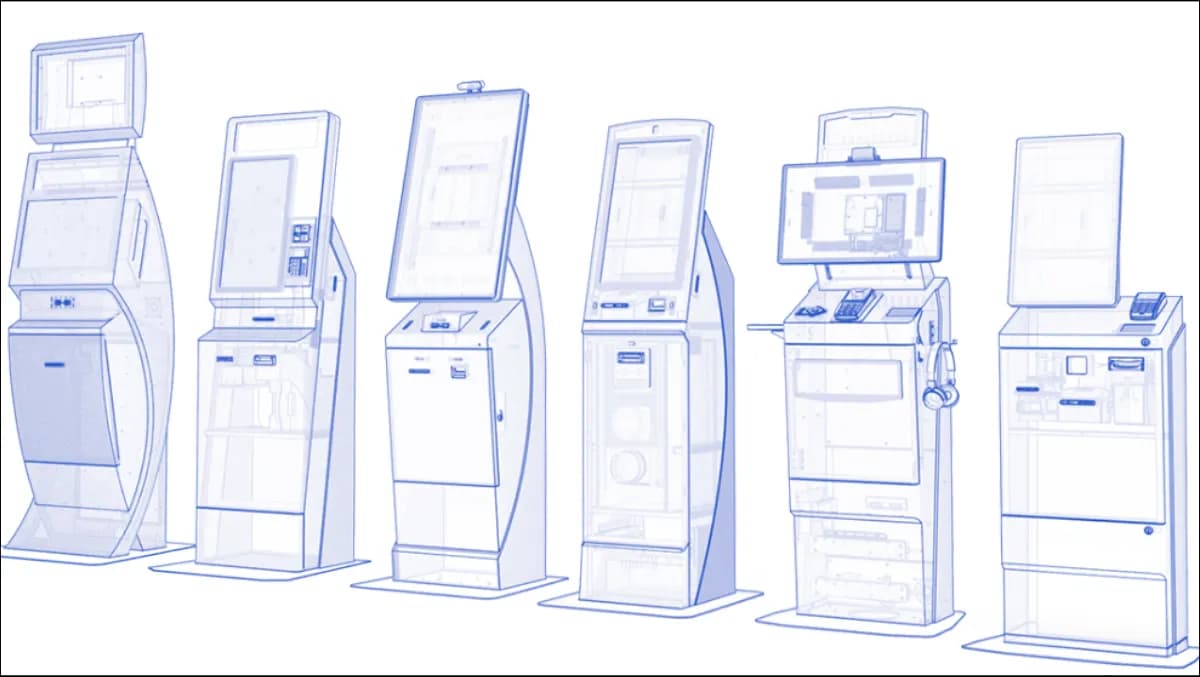
A modern kiosk is rarely just a touchscreen on a stand. The deployments that work integrate at minimum a card-present payment terminal (PCI-DSS compliant, with PIN-on-glass or hard-PIN), a thermal printer for tickets and receipts, a barcode or QR scanner for inbound document capture, an NFC reader for contactless ID, and increasingly a camera with on-device computer vision for ID-document capture and liveness checking. The chassis has to survive being kicked, leaned on, and spilled on. The software has to recover from a power cycle in under 30 seconds with no operator intervention.
Operational economics
The ROI conversation on kiosks gets distorted because people compare a kiosk's cost against a counter clerk's salary and call it a day. The honest comparison is broader. A kiosk shifts staff time from transaction processing toward exception handling and customer guidance — the customer still sees a human, but the human is doing higher-value work. The kiosk also runs outside operating hours, which is genuinely useful for ticket dispensing, appointment booking, and bill payment in industries where the customer's free time does not align with the operator's business hours.
The trap is treating the kiosk as a one-time hardware purchase. The real cost is the software stack behind it — the integrations into the queue management system, the digital signage that tells the customer what to do next, the visitor management system that knows whether they have an appointment, the EMR or POS or banking core that the kiosk needs to talk to. Without those integrations, the kiosk is a forms-printer with delusions of grandeur.
Common deployment failures and how to avoid them
The most consistent failure mode is poor wayfinding into the kiosk itself. Customers arrive in a branch or clinic or terminal, see counters and queues, and walk to the queue — not the kiosk. The fix is physical: visible kiosk placement with clear sightlines from the entrance, supported by digital signage that directs customers to the kiosk for specific transaction types. A greeter at the door for the first 30 days is worth its cost — by the end of that month, the customer behaviour has been retrained.
The second failure mode is accessibility neglect. WCAG 2.2 AA is not optional, and on a kiosk it means: tactile keypad as an alternative to touchscreen for visually-impaired users, headphone jack with audio guidance, height-adjustable or seated-access positioning for wheelchair users, and high-contrast UI modes. The deployments that skip this see complaints land at the regulator, not at the operator's support line.
The third failure mode is integration debt — the kiosk runs a separate user database, separate payment reconciliation, separate audit trail. After six months the operator is reconciling four systems instead of one. The right pattern is single source of truth: the kiosk is a presentation layer over the operator's existing systems, and the data it generates lands in the same warehouse as everything else.
Multilingual is table stakes worldwide
For any operator running kiosks across multiple regions — UK, EU, Americas, GCC, MENA, Africa, Asia — multilingual is no longer optional. The baseline that ships in a serious kiosk product is full right-to-left support for Arabic and full left-to-right for English, with locale-aware number formatting, currency switching, and date layout. French, Spanish, German, Portuguese, Italian, Dutch, Turkish, Urdu, Hindi and others come on as per-engagement extensions. The PDF rendering pipeline has to pick the correct script per ticket. The keyboard has to switch input methods on the fly. None of this is novel — it is just the cost of running a kiosk fleet across more than one country.
What changes for different verticals
The language stack is one configuration layer; the vertical workflow is another. A healthcare check-in kiosk surfaces appointment-confirmation, insurance-card capture, and a triage-question screen. A retail order kiosk surfaces menu navigation, customisation, and an upsell prompt. A government-services kiosk surfaces document upload, fee payment, and a feedback collection screen. The same underlying kiosk hardware runs all three workflows; the difference is the configuration of the workflow graph, the integrations behind it, and the operator-cockpit views that staff use to monitor what is happening on the floor.
Remote management is not optional
A fleet of kiosks distributed across multiple sites cannot be managed by sending an engineer to each site every time a configuration changes. The kiosk software has to support remote configuration push, remote diagnostics, remote firmware update with rollback, and remote log retrieval — all over the operator's network, with the security posture configured to match the operator's policy. The kiosk that requires a site visit for a price-list change will be the kiosk that ships with last month's prices for the next six months.
What 2026 looks like for kiosks specifically
The direction of travel is integration depth, not feature breadth. The kiosk that wins is the one that disappears into the operator's existing service-delivery graph — same data model as the queue management system, same identity layer as the appointment system, same payment reconciliation as the staffed counter, same audit trail as the rest of the operational stack. The customer never thinks about the kiosk as a separate channel; it is just one of several ways to interact with the operator, and the experience is consistent across all of them.
The other direction of travel is the introduction of computer-vision and lightweight on-device AI for ambient assistance — the kiosk that detects when a customer is struggling and prompts a floor host without the customer having to ask, the kiosk that recognises a returning customer by an opt-in face vector and pre-fills the appropriate workflow, the kiosk that suggests a relevant next action based on the customer's recent service history. These features are individually small but together change the kiosk from a passive tool into an active assistant. The architectural prerequisite is that the on-device inference stays on-device — sovereign by default, never sending raw camera frames to a third-party API.
Where Zeour fits
We build self-service kiosks as part of the GLARUS queue ecosystem — they share a data model with the queue management system, the visitor management system, and the digital signage layer that tells customers what is happening on the floor. Deployments are sovereign on-premises by default, multilingual at the framework layer, and shipped as fixed-fee phased engagements with the operator owning the source, the license keys, and the runbook at exit. The kiosk is rarely the whole story; it is one node in a service-delivery graph that has to behave coherently from the moment the customer walks in the door to the moment they leave.