Interactive kiosks moved from optional to standard in most customer-facing operations between 2019 and 2024. By 2026 the conversation is not whether to deploy them — that decision was made several budget cycles ago — but how to run them as production infrastructure rather than as marketing-funded pilots. The brands that have figured this out are pulling measurable advantage from the deployment; the ones that have not are about to be on a third refresh cycle in eight years with nothing operational to show for it.
The shift from novelty to operational layer
For most of the 2010s, an interactive kiosk was a single device a brand parked in a flagship store or a hotel lobby to demonstrate innovation. The deployment was tiny, the operational burden was carried by whoever owned the marketing budget, and the failure mode was mostly cosmetic — when the touchscreen went unresponsive nobody really lost revenue.
That is not what kiosks are anymore. A 2026 kiosk programme is a fleet of hundreds or thousands of devices across multiple sites, integrated into the core operational systems, carrying real transaction volume, and running under an SLA the operations team is measured on. The kiosk is the customer's first touchpoint in a clinic, the only checkout in a self-service grocery aisle, the issuer of a hotel room key, and the dispenser of a ticket that anchors the rest of the service flow.
The operational implication is that the kiosk now needs to be treated as production infrastructure — fleet console, heartbeat monitoring, parts depot, hardware refresh cadence, and integration adapters that are versioned and tested. Brands that skip this step end up with a degraded fleet within 18 months and a refresh budget request that is hard to justify a second time.
What modern kiosks actually do
The taxonomy of deployed kiosk use cases has settled into roughly six patterns.
Arrival and check-in. Hotels, clinics, gyms, coworking spaces, government counters, and corporate offices use kiosks for identity confirmation, arrival registration, and downstream notification to the host system. The integration is into the PMS, EMR, CRM, or visitor management backend. The differentiator is whether the kiosk can complete the entire arrival flow without handoff — a kiosk that issues a hotel room key against the live PMS in a single transaction is the deployment that gets renewed.
Order and pay. Quick-service restaurants, casual dining, fuel stations, and increasingly retail checkout lanes use kiosks for end-to-end order placement and payment. The measurable operational win is throughput at peak and average-order-value lift through consistent upsell. Customers customise more aggressively when they are not waiting on someone, and the upsell logic is consistent across every transaction rather than dependent on the staff member's mood.
Ticketing and queue arrival. Counter-service environments — banks, government services, telecom carrier stores, post offices — use kiosks as the entry point into a queue management flow. The kiosk dispenses the ticket and the queue system handles routing. This is the most operationally critical kiosk pattern because a failed dispenser means the queue itself stops working.
Information and wayfinding. Malls, hospitals, airports, transit hubs, and large corporate campuses use kiosks for directory lookup, interactive maps, turn-by-turn directions, and event information. These are typically wall-mounted or freestanding floor units with larger displays and a heavier emphasis on visual design than a transactional kiosk.
Transactional self-service. Bill payment, account top-up, document collection, parking payment, and similar workflows are increasingly run through kiosks in branches, public lobbies, and unattended environments. The compliance posture is heavier because these flows usually touch identity, financial transactions, and personal data.
Product configuration and ordering. Furniture retailers, automotive dealerships, telecom carrier stores, and B2B catalogue retailers use kiosks for in-store product browsing and configuration with a handover to a staff member for the close. The kiosk does the heavy lifting on the configurator; the staff member closes the higher-value advisory piece.
What separates a working kiosk programme from a stalled one
The brands that get the operational layer right share a small number of disciplines.
They invest in fleet management infrastructure from day one — a console that shows every kiosk's heartbeat, printer status, card-reader status, network connectivity, and last successful transaction. Without this, the fleet degrades silently until a customer complaint surfaces a problem that has been live for weeks. The console is unglamorous and never wins an award, but it is the difference between a working programme and a failed one.
They treat hardware sourcing and refresh as a procurement discipline. The kiosk is a physical object exposed to public use. Touchscreens scratch. Bezels dent. Card readers age out. The brands that get this right run a quarterly refresh cadence rather than waiting for catastrophic failure. They keep spare parts on-site for the high-failure components. They source hardware that can be supported in-region rather than air-freighted from a distant supplier with a four-week RMA path.
They integrate deeply into the surrounding operational systems. A kiosk that runs in isolation is a glossy demo. A kiosk that issues a hotel room key against the live PMS, confirms a patient against the live EMR, dispatches a queue ticket against the live queue management system, and reconciles a payment against the domestic acquiring bank's settlement file is infrastructure. The integration sockets are the part most vendor pilots skip because they are unglamorous and take real engineering hours.
They deploy operator-grade language coverage. English plus Arabic with full RTL is the production baseline across the markets Zeour ships into; additional locales — French, Spanish, German, Portuguese, Italian, Dutch, Turkish, Urdu, Hindi and more — are added per engagement based on the operator's market footprint. The brands that ship to a multilingual customer base in a monolingual interface lose the transactions that matter most.
They run role-based audit and access across the fleet. Every transaction is logged. Every configuration change is logged. Every refund or void is logged. The operator can produce a complete audit trail on demand for any inspection or regulatory review. This is increasingly a procurement floor across the public-sector and regulated deployments, not a nice-to-have.
How the Zeour kiosk line is built
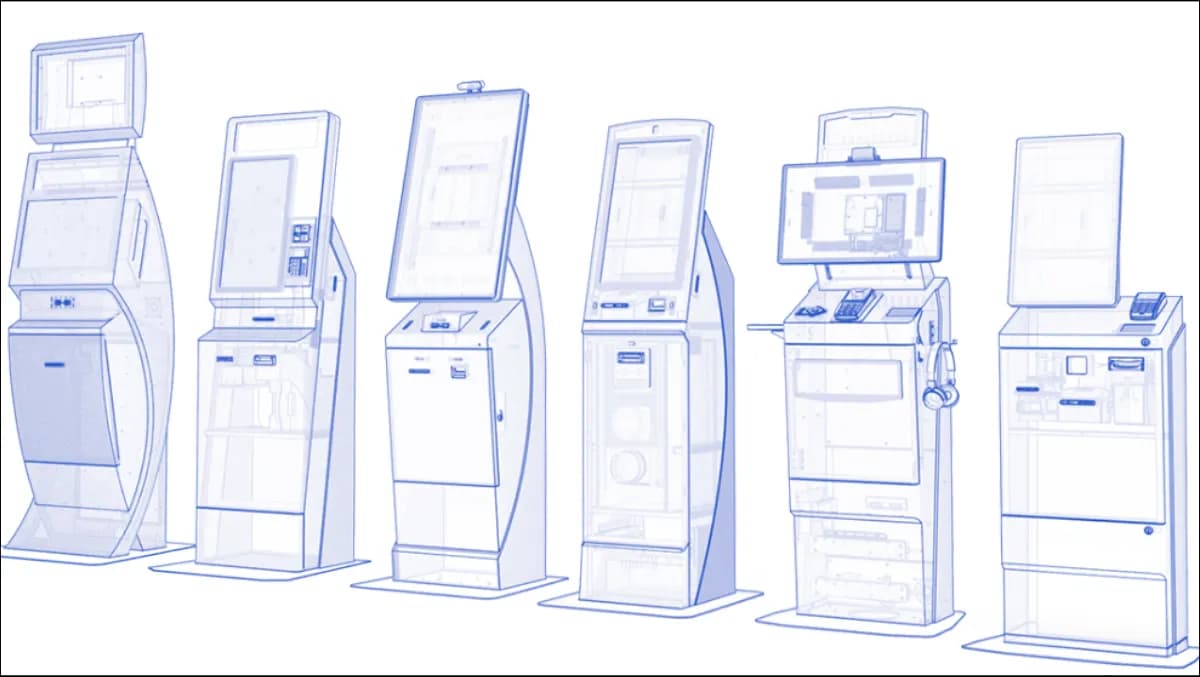
The Digital Self-Service Kiosk line ships as production hardware with a swappable Android compute board, a printer that the operator can re-paper without a technician visit, a card reader sourced and supportable in-region, and an integration layer that includes adapters for the queue management, visitor management, signage, wayfinding, and feedback systems in the same portfolio.
The deployment model is sovereign on-prem by default. The fleet console runs inside the operator's perimeter. The transaction logs do not leave. The license is offline-validated. The operator owns the repo, the keys, and the deploy capability at the end of the engagement under the 90-day exit window. The fixed-fee phased engagement model — Discovery, Build, Pilot, Rollout, Operate — keeps the commercial conversation honest and the timeline predictable.
Kiosks are essential for modern businesses because the customer-facing operations they sit inside cannot scale without them. Deployed as production infrastructure rather than as a marketing pilot, they deliver the throughput, cost, and CX wins that the original business case promised. Deployed without the operational discipline they fail. The difference is not the hardware. It is the operating posture, the integration depth, and the discipline to treat the kiosk fleet as the production layer it has become.