Retail self-service kiosks are no longer a differentiator; they are a baseline. Customers expect to be able to order at the counter, check a price from a label, look up product availability, or pay for parking without having to find a member of staff. The retailers who built this expectation well are now competing on the second-order details — speed of transaction, integration depth, accessibility, and how cleanly the kiosk escalates the edge cases that should not be on a kiosk in the first place. The retailers who have not started are now competing with their own staffing problem.
What separates a retail-grade kiosk from a generic one
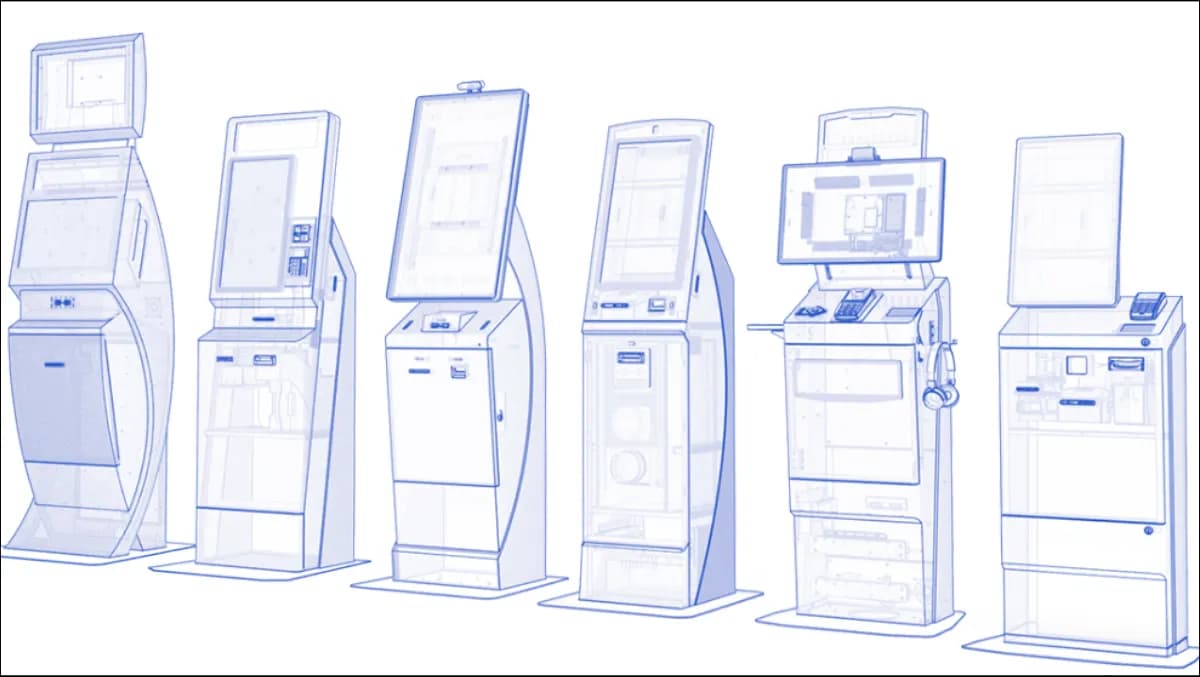
A generic touchscreen kiosk on a stand is not a retail kiosk. The retail kiosk has very specific requirements that distinguish it from kiosks in healthcare, government, or banking contexts.
Throughput is the headline metric
In a quick-service restaurant at lunch peak, the kiosk has to process an order in 45 seconds or it becomes a bottleneck. In a supermarket self-checkout, the kiosk has to handle item scan, weight verification, payment, and bagging in under two minutes. In a fashion retailer, the kiosk has to surface size availability across the chain in under three seconds or the customer walks. Every interaction is on a clock; every animation, every loading spinner, every avoidable confirmation step is a tax on throughput.
Payment is non-negotiable
Retail kiosks must support contactless and chip-and-PIN, must be PCI-DSS compliant out of the box, must accept whatever local payment methods matter — Apple Pay, Google Pay, regional QR-payment schemes, retailer loyalty wallets, occasionally fleet cards. The payment device is a separate hardware module from the touchscreen; replacing it must not require replacing the kiosk. Refunds must be processable without a manager flag in the common case.
Integration with POS, inventory, CRM, and loyalty
The kiosk's job is not to be a separate sales channel. It is to be the same sales channel as the staffed counter, with the same pricing, the same stock visibility, the same loyalty accrual, and the same audit trail. That requires real-time API integration with the POS (Lightspeed, Square, Adyen and other major / regional retail-POS platforms), the inventory system, the CRM, and the loyalty platform. A kiosk that runs its own price list is a kiosk that will price-mismatch within a week.
Accessibility and inclusion
WCAG 2.2 AA is not optional. Tactile keypad as an alternative to touch, headphone jack with audio guidance, height-adjustable placement for wheelchair users, high-contrast modes, and full multilingual support — English and Arabic with full RTL as a production baseline, with French, Spanish, German, Portuguese, Italian, Dutch, Turkish, Urdu, Hindi and more added per engagement when the customer demographic requires it.
How to evaluate a retail kiosk provider
Look at deployed footprint, not the demo
The demo is always polished. The question is what the kiosk does at hour 18 of a busy Saturday in the third week after go-live, when the staff are tired and the network is flaky. Ask for reference operators, ideally in your geography, ideally in your retail vertical. Ask about uptime against an SLA, not against best-effort marketing. Ask how the vendor handles a payment-terminal firmware update without taking the fleet offline.
Validate the integration story end to end
The vendor will claim integration with your POS, your inventory system, your loyalty platform. Validate it. Ask for the integration documentation. Ask whether the integration is real-time event-driven or polling on a 5-minute interval (the second is fine for some use cases and unusable for others). Ask what happens when one of the integrated systems goes offline.
Understand the deployment model
Is the kiosk software running locally, or does it depend on a cloud control plane? In retail contexts where connectivity drops occasionally, can the kiosk continue processing transactions offline and reconcile later? Where is the data stored — and is that location compliant with the jurisdiction the kiosk operates in?
Understand the exit
What happens at end-of-contract? Does the operator own the deployment outright, with source, license keys, and runbook? Or is the kiosk a thin client to a vendor's cloud, which becomes useless the moment the vendor relationship ends? The honest answer matters more than the polished one.
Operational realities the brochures do not mention
Hardware ages faster than software
A kiosk chassis in a high-traffic retail environment takes a beating. Five-year hardware refresh cycles are realistic; longer than that is a maintenance problem. The software has to support hardware refresh without a forklift upgrade — the kiosk model running today and the one running in three years should run the same code with a configuration change, not a reinstall.
Staff training is non-trivial
The assumption that self-service kiosks reduce staffing is partially correct and partially wrong. They reduce transaction-processing headcount but they introduce a new role: the floor host who guides hesitant customers through their first kiosk transaction, troubleshoots the inevitable hardware fault, and escalates the cases that should not be on a kiosk. For the first 30 days post-go-live, that host role is full-time. After that, it integrates into the existing floor-staffing pattern.
Data is the long-term prize
The customer-behaviour dataset that emerges from a kiosk fleet — purchase patterns, time-of-day demand, basket composition, abandonment points — is more valuable than the throughput gains. The retailer who treats the kiosk as a data-collection device, in addition to a transaction device, gets a forecast and a merchandising signal that the staffed counter never produced.
Vertical specialisations that change the buying decision
Quick-service restaurant kiosks
QSR kiosks are throughput-optimised above everything else. Menu navigation has to be lightning-fast, the upsell prompt has to be one tap and skippable, the customisation flow has to handle the edge cases (allergens, substitutions, modifications) without breaking the rhythm, and the payment has to clear in under 10 seconds. Integration with the kitchen display system, the loyalty program, and the order-pickup notification flow is what separates a QSR kiosk from a generic touchscreen.
Supermarket self-checkout
Self-checkout has different physics. The kiosk has to verify item scans against weight, detect probable mis-scans without false-positives that frustrate honest customers, handle age-restricted purchases with a quick floor-host approval flow, and integrate with anti-theft systems without making the experience feel hostile. The deployments that fail are the ones that prioritise loss prevention over customer experience to a degree that drives customers back to staffed lanes.
Fashion and apparel retail
In fashion retail, the kiosk's role is often less about transaction and more about discovery — surface size availability across the chain, request a size from the stockroom, book a fitting room, browse the extended catalogue not in store. The integration into the inventory system is the dominant requirement; throughput is secondary.
Grocery and convenience
Kiosks in grocery and convenience tend to focus on specific service categories — bill payment, lottery, money-transfer, parcel pickup, loyalty enrolment. The kiosk pulls a long tail of transactions off the staffed counter so the counter can focus on the basket and the customer query. The integration into the operator's existing service partners (banks, lottery operators, parcel networks, telecom MVNOs) is what determines whether the kiosk earns its space.
Where Zeour fits
We build retail self-service kiosks as part of the GLARUS ecosystem, integrated with queue management, digital signage, and customer feedback. The deployment model is sovereign on-premises by default — payment data, customer data, and transaction logs never leave the operator's perimeter unless the operator explicitly opts in to cloud sync. The multilingual baseline is English plus Arabic full RTL, with any other locale added per engagement. The engagement model is fixed-fee phased: Discovery, Build, Pilot, Rollout, Operate, with operator self-sufficiency at exit and a 90-day handover window. The operator owns the kiosk fleet, the source, the license keys, and the runbook at the end of the engagement.